
English | File size: 928.91 MB
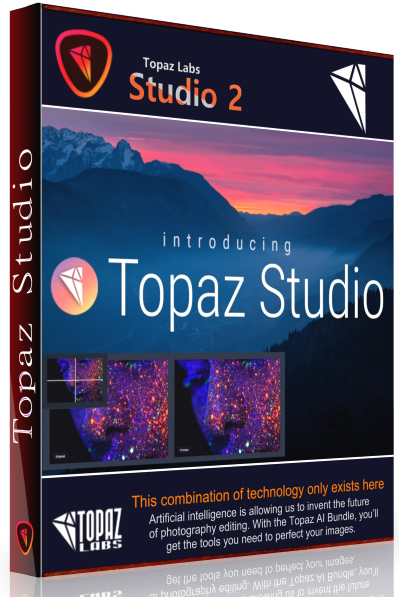
The future of creative photo editing. Edit your images beautifully with powerful filters and frictionless masking in a fine-tuned non-destructive layer workflow. Topaz Studio 2 has only one purpose: creative photo editing. This starts after you select your image and ends when you export your finished work. It's designed specifically around the artisanal post-processing workflow of carefully crafting a single image to your vision.
Studio is the editor to use when you want jaw-dropping images and you're not afraid to spend the time to get them. It's for creating works that push the bounds of your artistic vision; the few that you know you'll look back upon in years as one of your best creations. That's why you won't find library management, design tools, batch editing, or other common "image editor" tools in Studio. There's a lot of photo editors out there that help you manage your workflow and make minor contrast adjustments. Topaz Studio is not intended for that. If it doesn't contribute to the vision of creating singularly beautiful images through post-processing, then we're not including it.
1. Cutting edge filters.
Most image editor tools are the same: your Exposure in one editor is the same Exposure in another. In Studio, we've thought about what common adjustments would look like if they were designed today, and updated them to their most modern and useful forms.
2. Powerful selection and masking.
Very rarely do you want to apply the same effect to all parts of your image the same. Studio considers masking and selective adjustments to be a core task, and features several innovations that make selective editing substantially easier and faster for you.
3. Fully non-destructive layers.
Mix and match filters and effects with different blending modes and opacity. Everything that you do in Studio can be edited and adjusted after the fact with a fully non-destructive layer workflow.
RELEASE NOTES:
Código:
https://help.topazlabs.com/hc/en-us/articles/360031217671-Topaz-Studio-2-ChangelogAssembly information
1. Combined installation of the program or unpacking of the portable (yaP Launcher) version in one distribution kit
2. Does not require registration
3. The interface language is English
4. Picks up the external settings file settings.reg (if located next to the installer)
System Requirements:
• Windows 7, 8, 10 64-bit support only
• Display Size: 800 x 600
• OpenGL 3.3
• System RAM: 8GB (Minimum), 16GB (Recommended), 32GB (Optimal)
• GPU VRAM: 2GB (Minimum), 4GB (Recommended), 6+GB (Optimal)
HOMEPAGE
Código:
https://topazlabs.com
Download From Rapidgator
Código:
https://rapidgator.net/file/49c349ed878b943ac4e0d415a5b22723Download From Nitroflare
Código:
http://nitroflare.com/view/E257A5F6E04BAB6/BaDshaH.topaz_studio_2.3.2.elchupakabra.rar
